Your free API keys. Pixabay is all you need.
VoxVision is free and searches stock footage with your own free keys. Getting one takes a couple of minutes, and you only do it once.
Pixabay. Needed to find footage.
- 1
Make a free Pixabay account
Open pixabay.com and click Join at the top right. Sign up with your email, or with Google. If Pixabay sends you an email, open it and confirm your address.

pixabay.com, top right: Join makes a free account, Log in is for next time. - 2
Make sure you are logged in
Your profile picture shows at the top right of pixabay.com instead of Log in. If you still see Log in, click it and sign in first.
- 3
Open the Search Videos section
Go to pixabay.com/api/docs and open Search Videos: click Search videos in the Contents list on the left, or scroll down to it. VoxVision uses Pixabay's videos, so use this section, not Search Images. Under Parameters, the first row is key (required), and your key is shown right there.
- 4
It says “Please login to see your API key here”?
Then you are not logged in on that page. Click Login in that same line, sign in, and the page comes back with your key in its place.
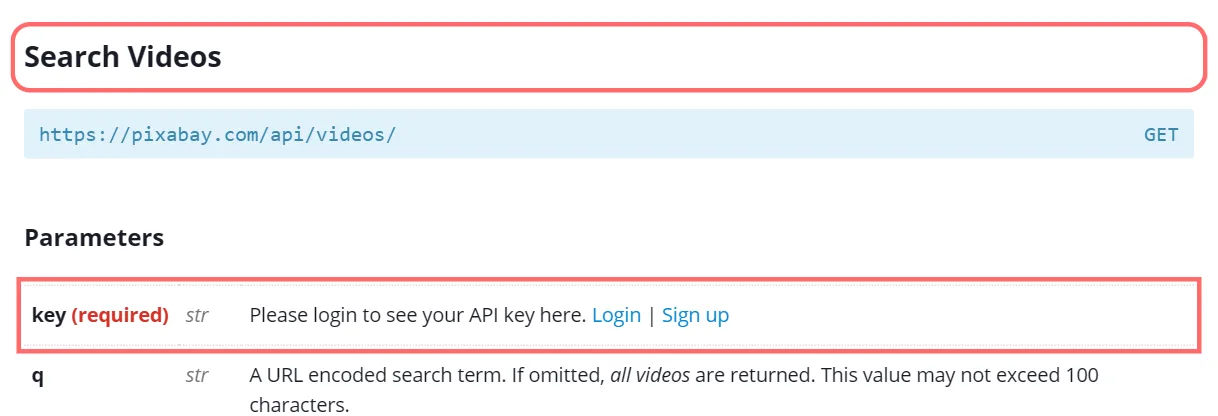
Search Videos → Parameters → key (required), while logged out. Once you are logged in, your key is shown here instead of this message. - 5
Copy the whole key
It is one long line of numbers, a dash, then letters and numbers. Select all of it and copy it with Ctrl + C. Do not add spaces.
- 6
Paste it into VoxVision
In the VoxVision panel, paste it next to Pixabay and press Save and check. When it says ✓ checked, press Start creating. Later you can change it in Settings → Stock libraries.
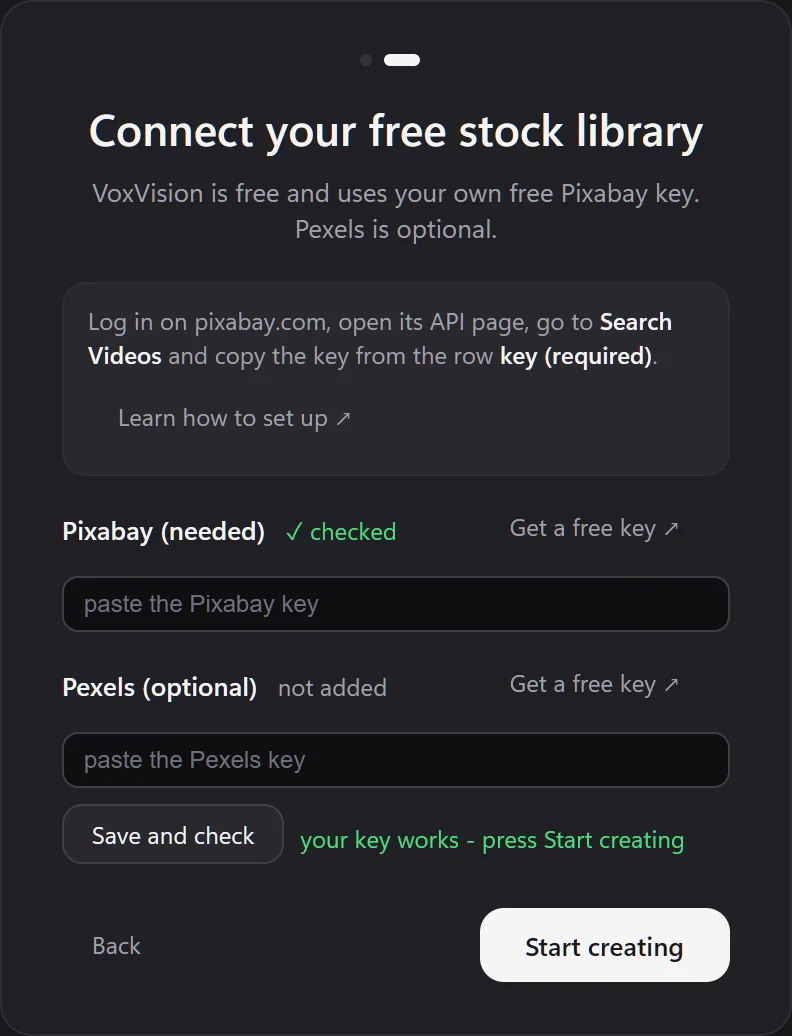
VoxVision's start screen once the key passed the check.
Pexels. Optional, and paused for new keys.
- 1
Pexels is not giving out new keys right now
Its API page says “New API key issuance is currently paused.” and the Get Started button is greyed out. That is fine: Pixabay alone is enough for VoxVision. Leave the Pexels box empty.
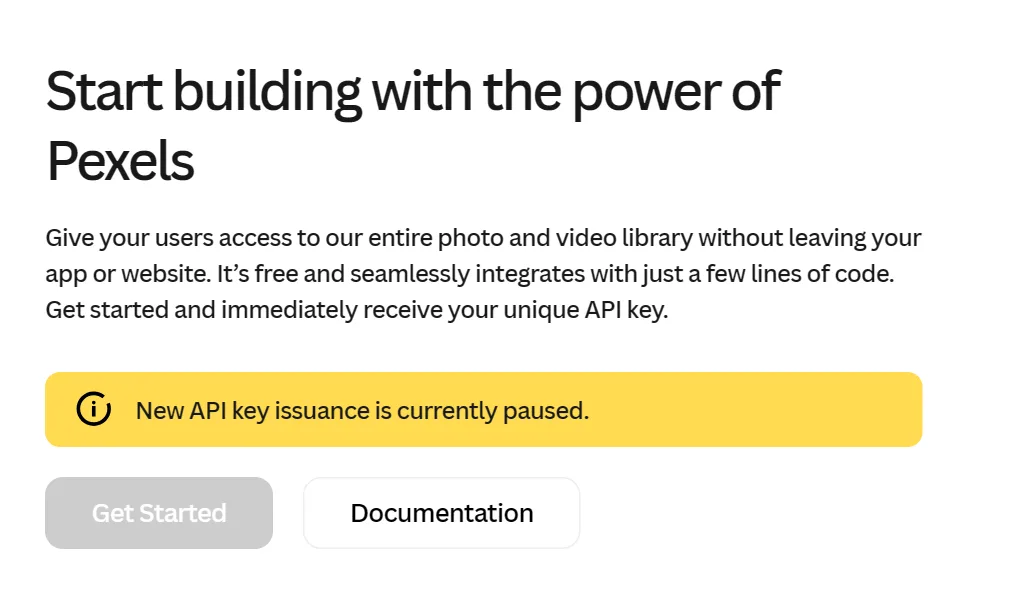
pexels.com/api on 10 Oct 2026. - 2
Already have a Pexels key?
Log in on pexels.com/api to see it, copy it and paste it next to Pexels in VoxVision, then press Save and check. It adds more footage to choose from.
Something not working? The usual fixes.
- The key is not shown
- You are not logged in on that site. Log in, then open the API page again.
- VoxVision says the key did not pass
- Copy the key again from the API page, the whole line and nothing else, then press Save and check. Check that your internet connection works.
- Too many requests
- Each free key has its own limit: Pixabay 100 searches a minute, Pexels 200 an hour. VoxVision stays under them, waits when needed and remembers searches, so this rarely shows.
- Lost your key
- Log in and open the same API page; the key is shown there again.
Your keys stay on your PC. VoxVision keeps them in Windows Credential Manager and uses them only to search Pixabay and Pexels from your computer; they are never sent to us. Keep them private, like a password. Still stuck? Write to support@voxvision.app.